How To Restore Your WordPress Blog’s ‘Add New Post’ Page BACK To The Old Classic Style FOR GOOD!
One of the reasons there has been no Jazz-Hands posts until April was having all my old cookies cleared (thank you Nanny Windows Ten, I hate you so much!) also saw me unable to get back to the old style of making posts.
Whatever WordPress have been up to, they’ve been trying to force users by stealth and guile into their stupid Block Editor aimed at Tablet and Dumbphone users (the dumber the person, the more time they spend glued to it) who think they can blog from it – their ‘blogs’ usually being endless reposts of other people’s work or what they last snapped with their phones (what they really need to snap is their necks).
When the other blog I help out on found itself being forced into the ‘new way’ as part of a WordPress update at the end of March and start of April, they quickly found a way of circumventing it.
Overjoyed that I wasn’t looking at moving my blog elsewhere and starting again, I began looking for a more permanent solution, sure that WordPress would have been legally obliged to offer some means of switching back to the old way they simply weren’t telling customers about – and by chance I found it.
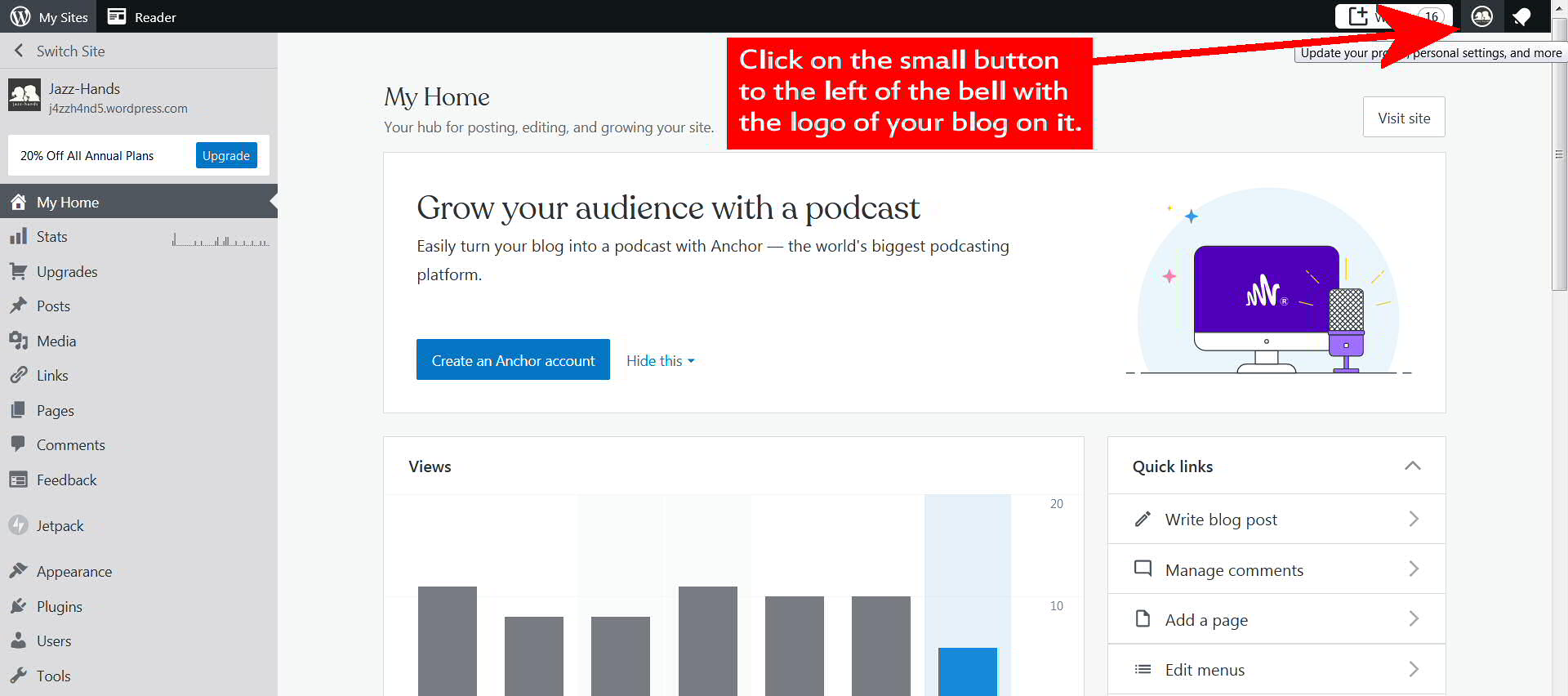
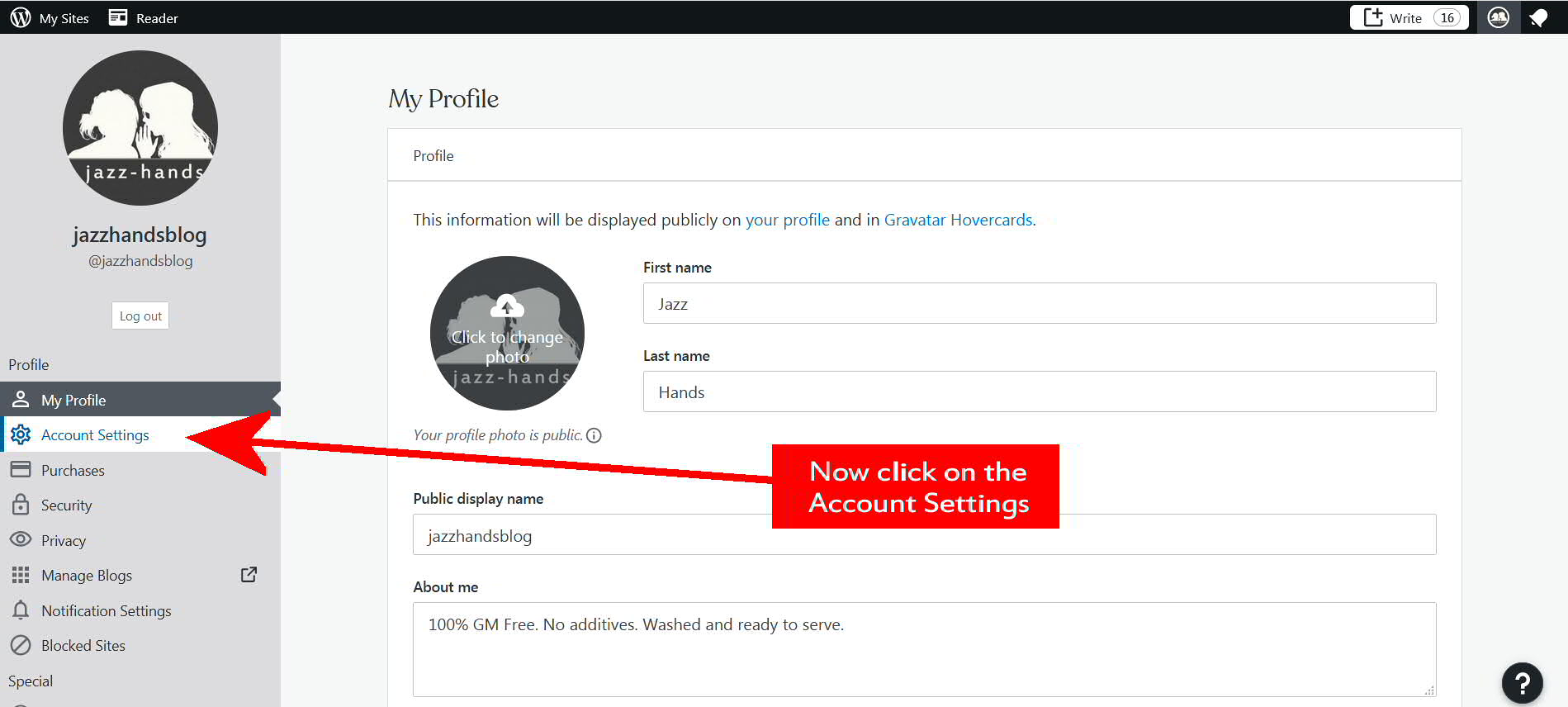
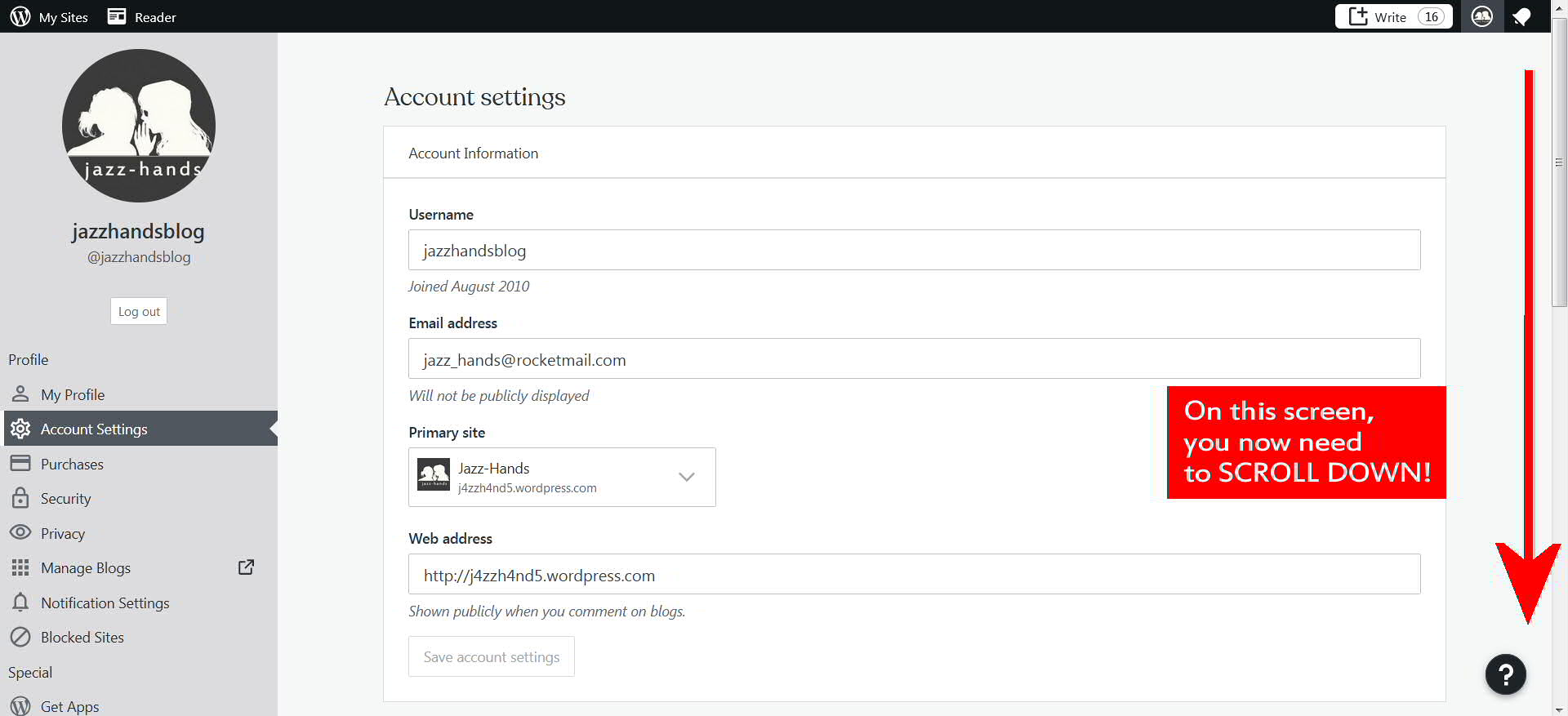
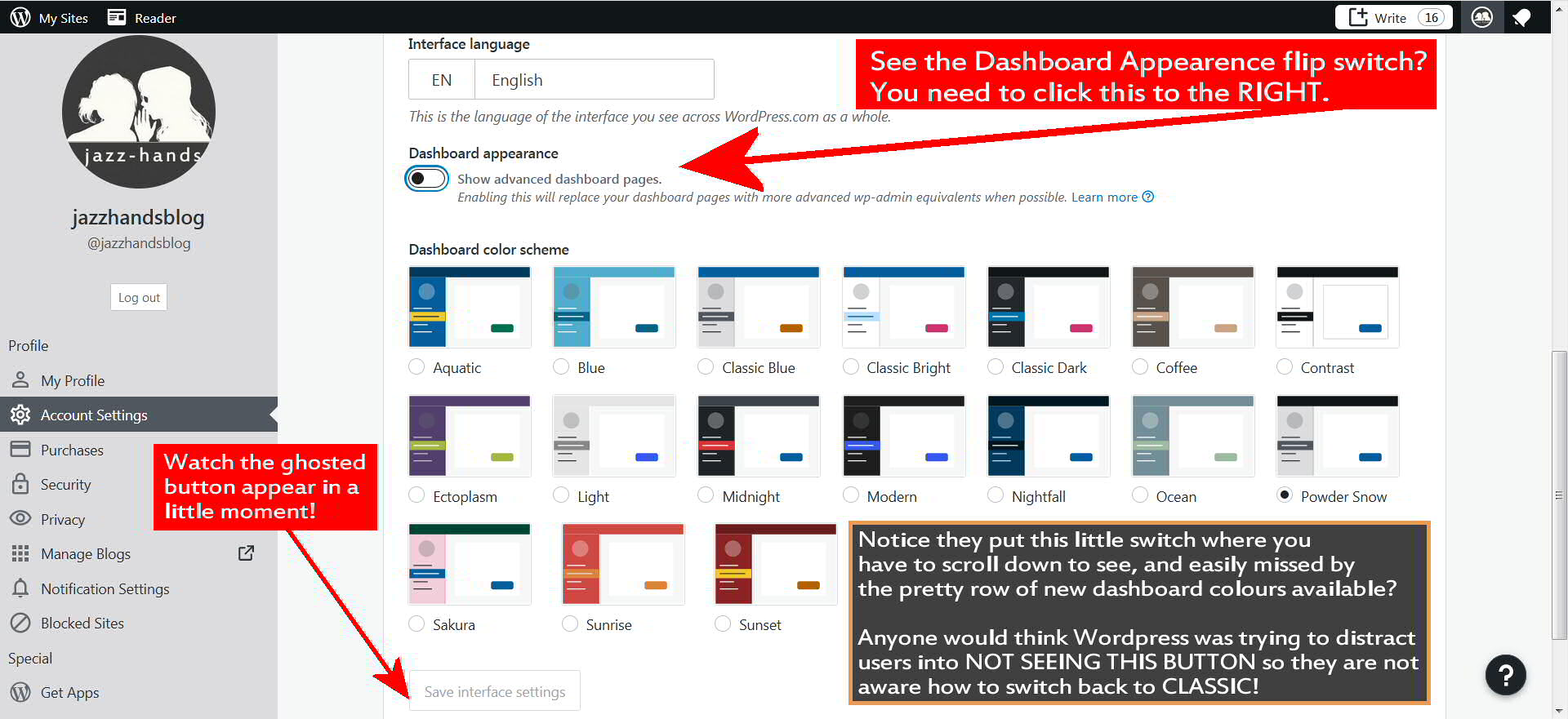
Ergo, here for you are very simple step-by-step instructions how to return to the New Post page we all know and love.
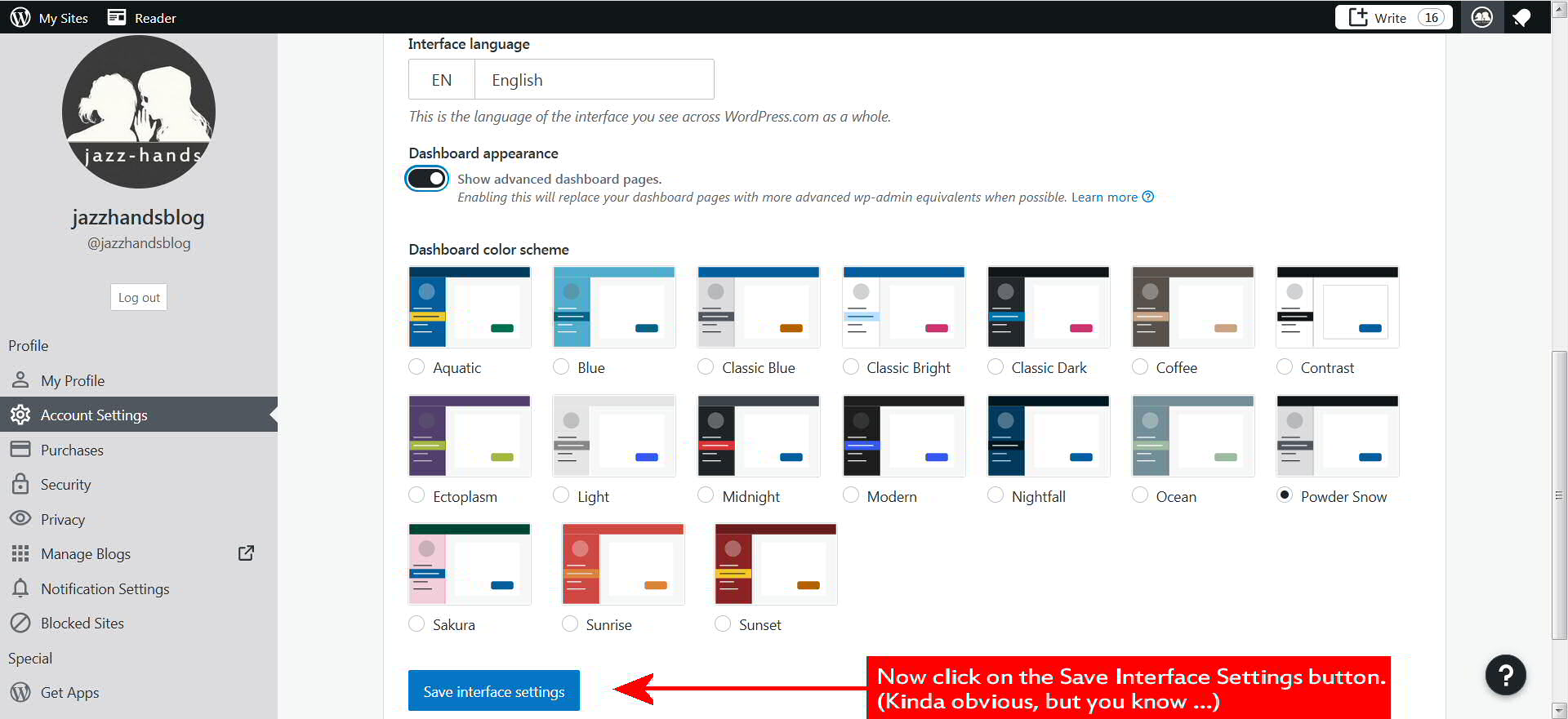
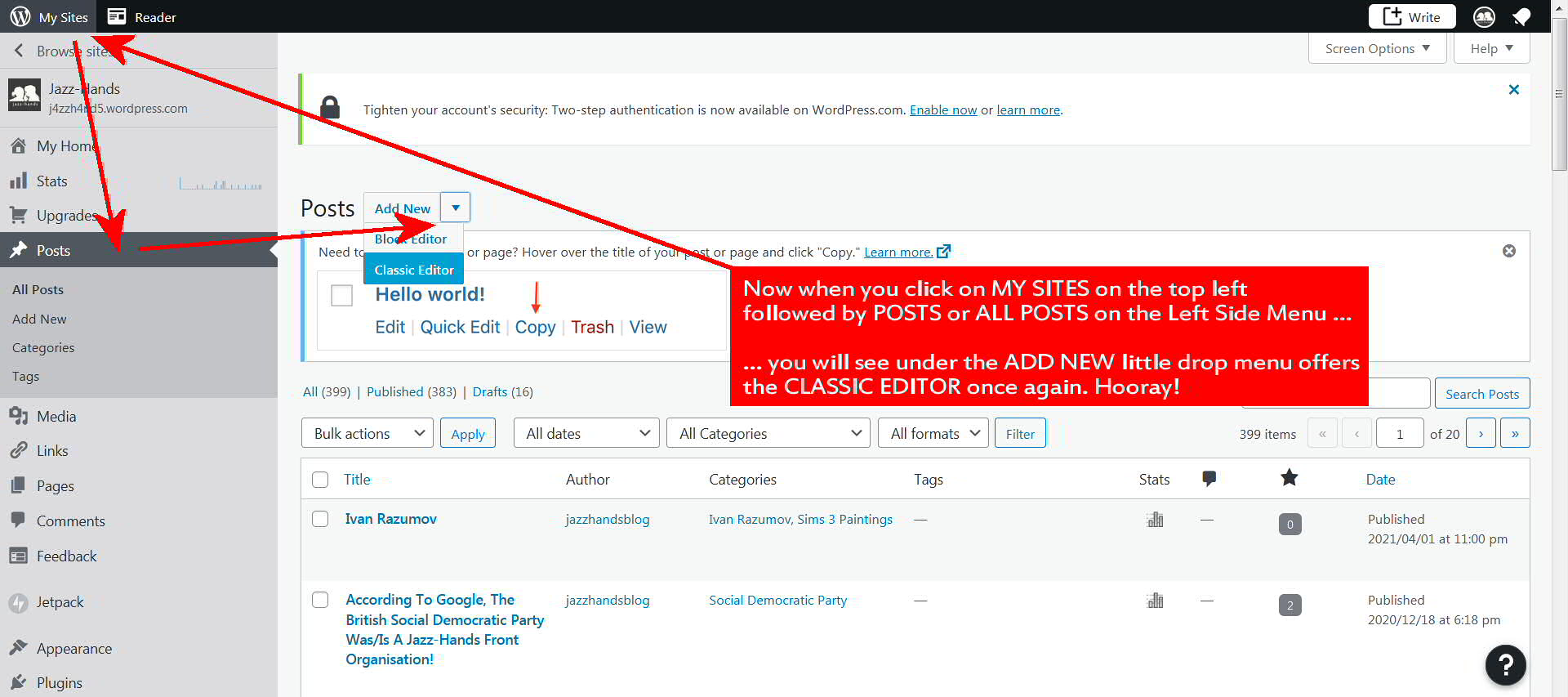
Hope this will help some of you out there.


 AA42
AA42 AA6x7
AA6x7 The Mare's Nest
 6s & 7s
 Skeletal Screams Blogspot
